Exclusive discounts on digital media!

COMET Browser – What Can an AI Browser Actually Do?
Discover Comet — the AI-powered browser by Perplexity that automates your web tasks, manages emails, shops online, and plans trips. Learn 10 mind-blowing things it can do today.
10/24/20255 min read
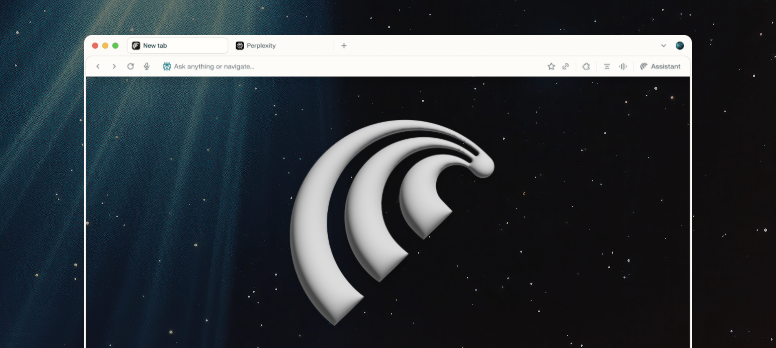
COMET Browser: What Can an AI Browser Actually Do?
Have you heard about a new AI browser called Comet that was recently released?
My guess, either Google Chrome will copy it soon, or Comet might actually replace Chrome for good.
So what is this new AI browser? What can it really do?
Here’s everything you need to know about Comet Browser, plus, 10 amazing things you can do with it right now that can literally save you hours of work.
Let’s dive in.
🪐 What Is Comet Browser?
Comet is the name of a new browser released by Perplexity, yes, the same company behind the generative AI platform Perplexity.ai, similar to ChatGPT or Google Gemini.
But here’s the thing: don’t confuse the Perplexity inside Comet with Gemini in Google Chrome or Copilot in Microsoft Edge.
Gemini in Chrome is basically a chatbot, a small AI window inside your browser with limited integration.
Comet, on the other hand, is a true personal AI assistant built directly into your browser.
It doesn’t just sit there waiting for prompts, it acts on your behalf.
It’s honestly easier to show than to explain.
So let’s install Comet from the Perplexity website and walk through 10 super cool things you can do with it that no other browser can do today.
(By the way, Comet is now available for everyone to download and try.)
First Look: Familiar Yet Different
Once installed, Comet looks like any other browser, tabs, a search bar, tab groups — and it’s decently fast too.
But the first difference you’ll notice is the search behavior.
When you search for anything, instead of doing a Google search, it directly queries Perplexity’s AI engine.
For example, when I search for “restaurants near me,” instead of showing Google search results, it uses Perplexity to research the web and give me an answer.
The advantage? You can ask complex, natural language questions with filters that Google wouldn’t understand, like:
“Indian restaurants near me that have at least 4+ ratings, open at 9 PM, and have paneer tikka masala on the menu.”
It takes an extra second or two, but the results are incredibly customized.
Try that on Google, and you’ll end up clicking through a dozen links to find what you want.
Of course, if you still prefer Google as your default search, you can easily change that in the Comet settings.
Isn’t This What Gemini or ChatGPT Does?
You might think, “Wait, Google Gemini can do this too, right?”
Sure, but with Comet, that’s only the beginning.
Gemini or ChatGPT can answer, but Comet can actually do things, like a real assistant operating your computer.
Comet as Your Personal Browser Assistant
Think of Perplexity in Comet as an actual person sitting in front of your computer.
You just tell them what to do, and they’ll do it.
Example 1: Shopping on Your Behalf
Let’s say I’m planning a picnic.
I need a picnic mat, paper plates, cups, sodas, snacks, and a few other things.
Instead of visiting Walmart and manually adding everything, I can simply say:
“I am planning a picnic and need to buy the following things from Walmart:
5x7 picnic mats (2), large Diet Coke bottles (3), 12-inch paper plates (25+), paper cups for water (25+), Lays chips (family size), insect repellent spray (1), picnic chairs (3), 8oz water bottle pack, and a loaf of white bread.”
Comet will open Walmart automatically, search for the items, and add them to your cart.
You can even click a button to watch what it’s doing, you’ll literally see it opening Walmart, typing in the search box, picking the items, and adding them to your cart.
If it’s unsure about something, it’ll ask for clarification.
After a few minutes, when you open your Walmart tab, everything you asked for is right there in your cart, with correct quantities!
It’s mind-blowing.
And it’s not a Walmart-specific feature, you can do this on any site.
For example:
“Search on Amazon for the highest-rated and most-reviewed power bank with at least 10,000 mAh and add it to my cart.”
It’ll open Amazon, do the searching, and add it for you.
Example 2: Managing Gmail and Calendar Automatically
Here’s another insane use case.
I logged into Comet with my Gmail account.
Now I can ask:
“Open Gmail and find marketing-related emails that seem like pure advertisements or spam, then unsubscribe from the top 5 spammers.”
Perplexity will sift through your Gmail, identify spammy newsletters, and unsubscribe you from them automatically.
If I had to do that manually, it would take me at least an hour.
You can also ask:
“When is my next meeting today?”
“Add an event to my calendar at 3 PM in Seattle titled ‘Meeting with Tim Cook.’”
And Comet will simply do it.
This is why Comet is far ahead of Chrome or Edge, it’s not just searching; it’s acting.
Example 3: Planning Trips and Managing Notes
Let’s say I’m planning a 2-day trip to Olympic National Park.
I can ask:
“Plan a 2-day trip from Lynnwood to Olympic National Park, include must-visit places and local eateries.”
Since Perplexity is an AI chatbot at its core, it creates a neat itinerary for me.
Then I can follow up with:
“Add all this information to a new page in my Notion workspace titled ‘Olympic Trip Itinerary.’”
And it does exactly that creates a Notion page and saves everything there.
It even works in reverse.
Let’s say I have 100 pages in Notion and want to know:
“Check my Notion workspace and tell me when Anya’s next school closure holiday is.”
Comet will open Notion, search through your pages, and give you the answer.
Now, you might wonder, is this safe?
Yes, all these actions happen locally on your machine, within your browser.
That’s why these same features don’t work if you use the Perplexity website from Chrome, because Comet runs these actions natively.
Example 4: Researching Multiple Tabs
Let’s say I’m browsing 10 different car websites comparing models.
I can simply ask:
“Go through all my 10 car-related tabs and summarize the details for me.”
Comet analyzes the pages and creates a summary.
You can even ask questions that span across those tabs, something no other browser can do easily.
Example 5: Organizing and Cleaning Tabs
Here’s another game-changer.
Say I have 50 tabs open, total chaos.
I can just say:
“Organize all my open tabs.”
Comet neatly groups them by topic.
But here’s the crazy part, I can ask:
“Close all tabs opened before 10 days ago.”
“Close all tabs related to dress shopping.”
“Move all car shopping tabs into a new tab group.”
Real-Life Productivity Boosts
Here are some practical ways Comet has saved me hours:
Automatically unsubscribing from marketing emails
Researching and summarizing multiple web pages
Shopping on Amazon or Walmart hands-free
Organizing tabs and decluttering my browser
Planning trips and syncing them to Notion
Finding cheaper flights and hotels by comparing options
Managing my Gmail and calendar tasks seamlessly
Privacy and Security
The best part is, all these operations happen locally inside your browser. Your data doesn’t get uploaded to Perplexity’s servers unless required for queries. That’s why this kind of automation can’t be replicated through Perplexity’s web app, only through Comet Browser.
The Future of Browsing
Comet represents a big step forward in AI-driven browsing. It’s not about just getting answers anymore, it’s about getting work done. And the best part? It’s available for everyone right now.
You can download it today from Perplexity’s official website.
Final Thoughts
This isn’t a sponsored review.
I genuinely believe Comet marks the beginning of a new era for browsers, one where your browser doesn’t just display the internet but actually works the internet for you. Soon enough, other browsers like Chrome and Edge will start adding similar features, because this is clearly where the future is headed. If you want to save time, automate tasks, and see what a real AI-powered browser feels like, try Comet.
Author: Anjana Gowtham
🎥 For more AI and tech insights, subscribe to The Tech Girl on YouTube — where we explore tools that make your digital life smarter.